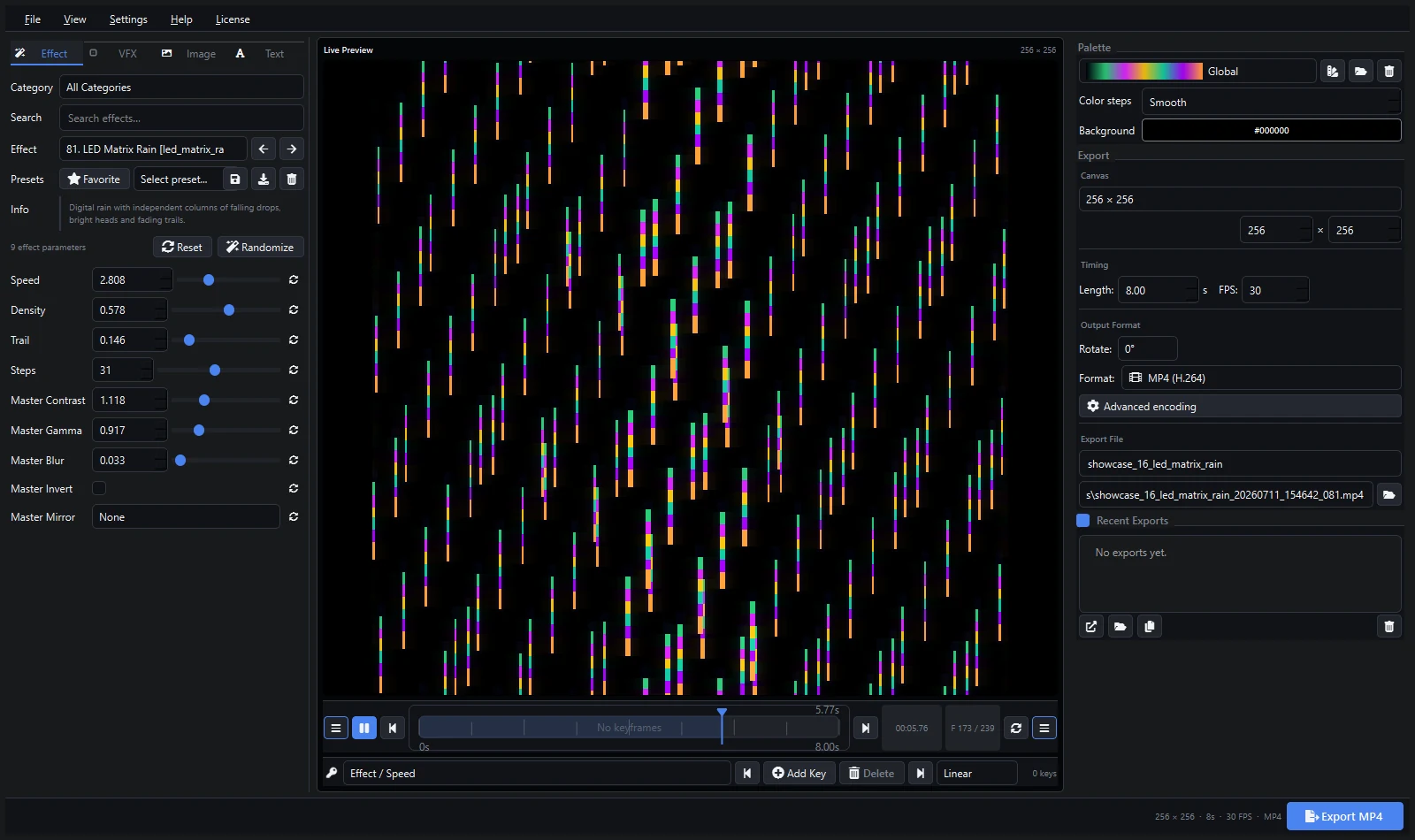
Looking for a pixel LED rain effect download free for your LED matrix? The Matrix-style digital rain is one of the most requested animations for pixel panels, and with Pixel LED Animator 3 you can generate an unlimited supply of rain loops in minutes — or grab a ready-made pack below. Rain effects work on LED Edit, Jinx!, Madrix, xLights, Resolume, WLED, and any controller that accepts video, GIF, or XDAT files.
What Is a Matrix Rain Effect?
Matrix rain (sometimes called digital rain or Matrix code) is the falling-column animation made famous by The Matrix movies. On a pixel LED display it renders as vertical streams of glowing characters, droplets, and light trails that fall from the top of the panel to the bottom. It looks especially good on tall matrices — a 24 × 48 or 32 × 64 panel with a 1:2 or 1:4 aspect ratio — because the long fall gives the animation room to breathe.
Tip: rain is a natural fit for corridor LED signs, church panels, show façades, and holiday light walls. It is also one of the easiest effects to color-shift with a custom palette.
Free Rain Effects for Download
If you want working files immediately, the pixel LED effects free download page offers a collection of ready-to-use AVI and SWF rain effects for LED Edit, along with videos for other controllers. The pack includes:
- Classic green Matrix rain loops in AVI format (LED Edit compatible)
- Tall-panel rain variants with different fall speeds
- Color variants for themes and holidays
- Both full-screen and cropped compositions
Every download is free, and the AVI files work with LED Edit 2014 through the latest versions without conversion.
How to Create Your Own Rain Effect
Generating a custom rain effect takes about a minute in Pixel LED Animator 3:
- Launch the app and pick LED Matrix Rain from the effect list.
- Set the panel size to match your display — for example, 24 × 48 for a tall panel.
- Adjust the speed, density, and trail length to control how full and fast the rain falls.
- Choose a palette. Matrix green is the classic look, but cyan, red, or a slow rainbow gradient work equally well.
- Set the render time — a 5–10 second seamless loop is ideal for most controllers.
- Export to AVI (LED Edit, Jinx), MP4 (Madrix, xLights, Resolume), or XDAT (LED Edit v3).
Because the effect is generated from a parameter set, you can create dozens of variations in minutes: slow moody rain, dense downpour, short droplets, or wide color-cycling streams. Save the preset to reuse the exact look later.
Using Rain Effects with Different LED Software
- LED Edit: export AVI or XDAT and load it directly. See the LED Edit workflow guide.
- Jinx!: Jinx displays AVI video on led panels — export a normal AVI and load it in the Jinx video window. The Jinx tutorial covers the exact steps.
- Madrix: create MP4 loops and use them as video textures. The Madrix content guide explains resolution and looping.
- xLights: use the exported file with the xLights Video effect on a matrix model. The xLights guide covers cropping, looping, and transparent black.
- Resolume: drop the MP4 into a layer and map it to the panel. See the Resolume VJ loop guide.
- WLED: stream the effect live from the computer over ArtNet, sACN, or E1.31 instead of exporting a file — the ArtNet streaming guide shows the wiring and panel layout patterns.
Tips for a Clean Rain Look
- Match aspect ratio: render at the exact ratio of your panel (24 × 48 renders as 1:2) to avoid cropping.
- Use a long trail for the classic Matrix streamer look; short trails read as falling dots.
- Keep black background: if you plan to overlay rain on other content, keep the background pure black so controllers can key it out.
- Loop seamlessly: set a render duration that matches your controller’s loop length, usually 5–10 seconds.
- Check brightness: dense rain can push your panels near maximum brightness — lower the gamma slightly for long-duration shows.
Troubleshooting
- Rain looks too thin or sparse: increase density and trail length.
- Rain is too fast: reduce speed and re-render.
- Wrong aspect ratio on the panel: re-export at the panel’s native size.
- Color looks wrong: switch the palette; matrix green reads best on RGB panels.
- LED Edit does not open the AVI: convert the file or use XDAT export instead.
For a full walkthrough of every effect and export format, visit the complete tutorial. If you want unlimited custom effects, keyframes, palettes, and live streaming, check the lifetime version 3 license — one purchase, all future updates.
Explore Pixel LED Animator 3 · Download free effects · Read the complete tutorial · Buy the lifetime version 3 license