Update: v1.2.0 now available. This post describes the original v3.0.0 release. Version 1.2.0 adds 22 export profiles, 149 effects, VFX, image/text overlay FX, and an RGB zone-colored interface. Read the v1.2.0 release post.
Pixel LED Animator 3 Is Here: A Completely New LED Animation Workspace
Pixel LED Animator 3 is now available for Windows. This is a completely new generation of the software, designed around a faster and more direct workflow for creating pixel LED animations. It brings effect generation, live preview, keyframe animation, color design, image and text overlays, visual effects, and export into one focused desktop workspace.
The new release includes more than 100 different effect generators. You can begin with a ready-made motion system, change its shape and timing, build a custom palette, animate parameters over time, add overlays and VFX, and export the finished visual for your LED software or controller workflow.
Buy Pixel LED Animator 3 on Lemon Squeezy
More Than 100 LED Effect Generators
The effect library is the creative center of Pixel LED Animator 3. It contains over 100 generators covering clean geometric motion, organic patterns, LED-style chases, waves, tunnels, particles, fractals, grids, plasma, aurora, ripple systems, kaleidoscopes, and many other visual families.
Examples include:
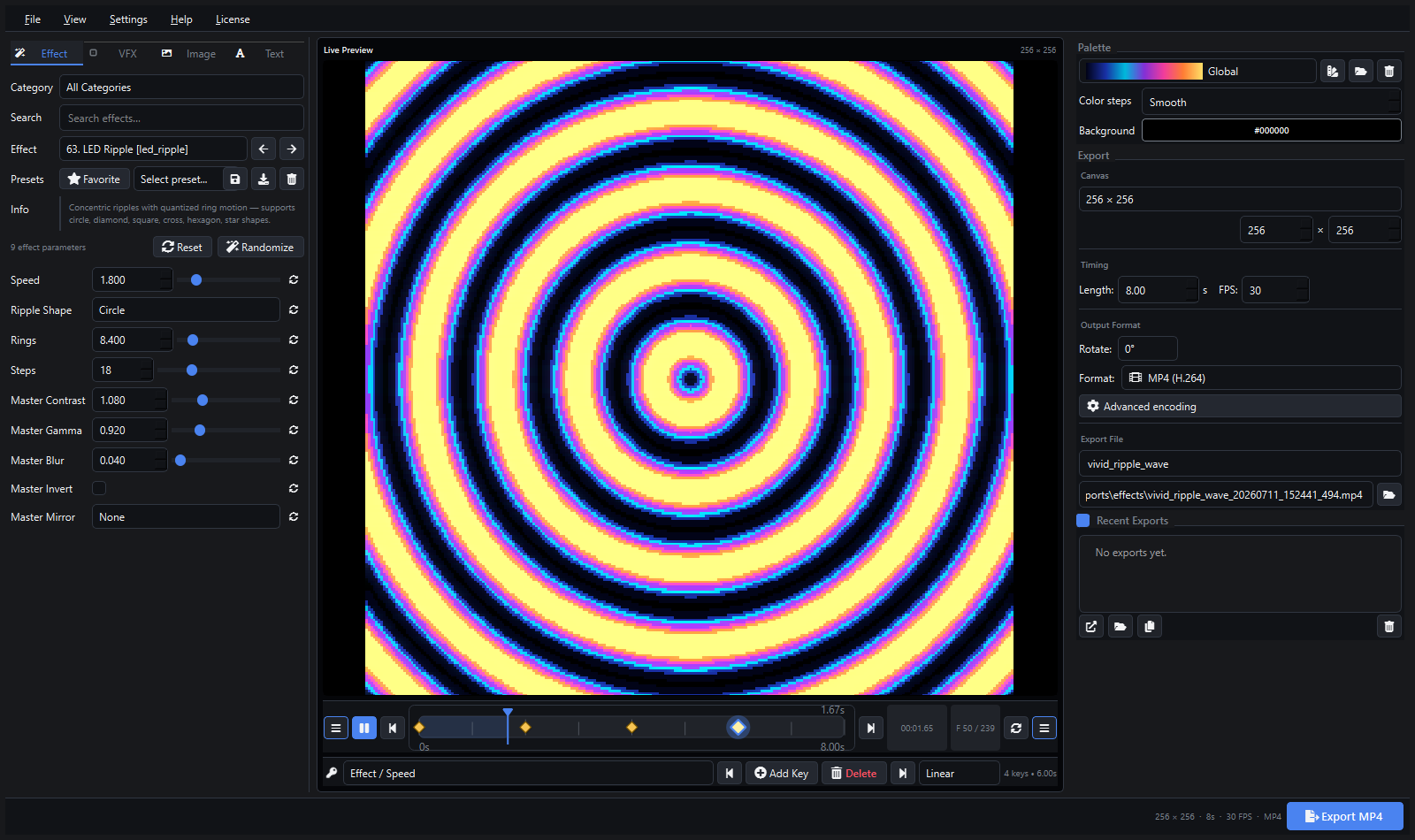
- Concentric ripple and dual-ripple animations
- Ripple-wave interference fields with animated emitters
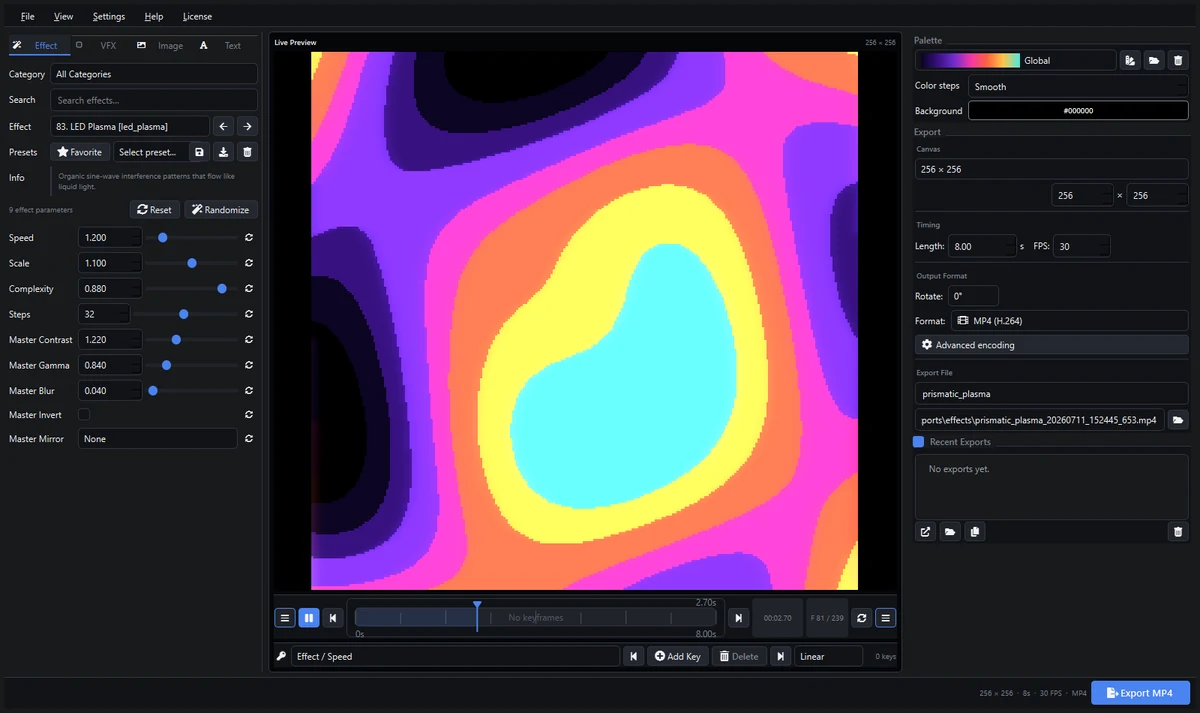
- Plasma, aurora, fire, snow, starfield, and liquid-light effects
- Shape tunnels, wave tunnels, ring tunnels, and collapsing wavefronts
- Mandelbrot and other mathematical animation systems
- AI Snake and grid-based LED motion
- Chasers, scanners, segmented comets, blocks, pulses, and port-style waves
- Kaleidoscope, prism, spiral, orbit, and symmetry-based generators
Many effects include a shape selector instead of forcing a single visual form. Depending on the generator, you can switch between circles, squares, diamonds, crosses, hexagons, stars, and other shapes. Each effect also exposes useful controls such as speed, density, scale, complexity, ring count, resolution, thickness, direction, and animation steps.
This means one effect can produce many distinct visual results without requiring a complicated node graph or external compositing tool.
Live Preview While You Work
Pixel LED Animator 3 shows the animation in a central live preview while you edit. Effect controls stay on the left, the rendered result remains visible in the center, and palette plus export controls are available on the right.
The preview is designed for the way LED creators actually work. You can test different canvas sizes, timing values, palettes, shapes, overlays, and VFX before starting a final render. The transport bar lets you play, pause, scrub to a precise time, and inspect individual frames.
Because the editor and preview are visible together, it is easier to compare changes and tune an effect for a small matrix, LED panel, strip layout, stage backdrop, architectural installation, or pixel-mapped display.
Keyframe Animation for Effects, Colors, VFX and Overlays
Version 3 introduces a compact keyframe system beneath the live preview. Select a parameter, move the playhead, and add a key. The timeline displays the keyframe diamonds clearly so you can select, update, move, or delete them.
You can keyframe core effect values as well as palette, VFX, image, and text properties. Numeric values and RGB colors interpolate between keys, while choices, text, font names, file paths, and switches hold their value until the next key.
Available easing modes include:
- Linear
- Ease in
- Ease out
- Ease in and out
- Hold
Keyframes are snapped to the selected frame rate, and the same animation data is used by the live preview and final export. Presets can store keyframes so animated looks can be reused instead of rebuilt from the beginning.
Powerful Color Palette Editing
Color is especially important on pixel LED installations, and Pixel LED Animator 3 provides a dedicated multi-stop palette editor. You can create custom gradients, add or remove colors, change their order, edit exact RGB or HSV values, resample a palette, reverse it, and combine it with another palette.
Palette changes can be applied live, so the result appears in the main preview without closing the editor. Built-in palettes cover neon, synthwave, fire, ice, aurora, vaporwave, thermal, ocean, sunset, and many other visual directions.
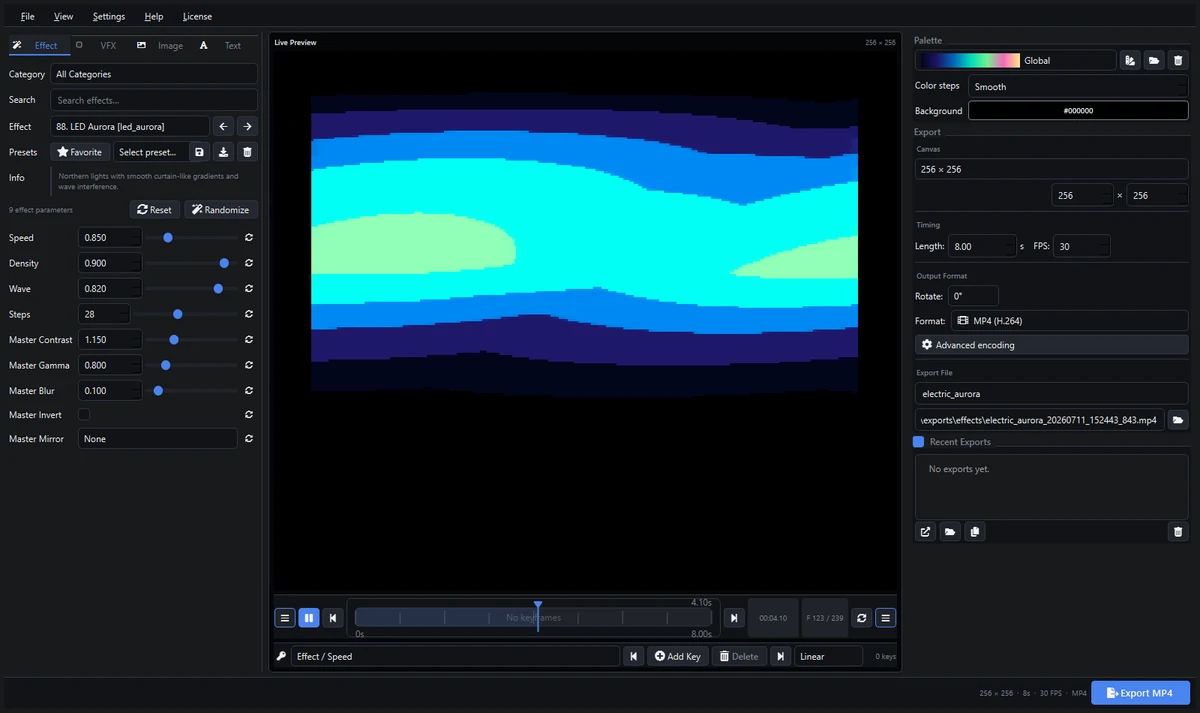
Image and Text Overlays
The new overlay tools make it possible to combine generated LED motion with branding and information.
Image overlays support sizing, placement, opacity, fit modes, blending, and animation controls. They can be used for logos, symbols, product graphics, or visual elements that need to sit over a generated effect.
Text overlays include font selection, size, color, alignment, position, opacity, outline, shadow, glow, spacing, and animation options. This is useful for event names, DJ visuals, promotional messages, countdowns, signs, and LED display content that combines typography with motion.
Creative VFX Without Leaving the Editor
Pixel LED Animator 3 includes finishing effects that can be layered over the generated animation. These include bloom, sparkles, trails, scanlines, chromatic treatments, vignette, tiling, mirroring, and other visual passes.
VFX values appear in the same workflow as the main effect, so they can be previewed immediately and animated with keyframes. A restrained bloom can soften bright LED colors, while sparkles and trails can add energy to stage visuals and music-event content.
Export for LEDEdit, Resolume, xLights, MADRIX and More
Pixel LED Animator 3 is built to fit existing LED and pixel-mapping workflows. It can render common video formats and image sequences that can be imported into software used for live visuals, sequencing, mapping, and playback.
Supported output workflows include:
- LEDEdit: Export XDAT for compatible LEDEdit workflows, plus standard video output when appropriate.
- Resolume Arena and Avenue: Render video loops for VJ playback, composition, and output mapping.
- xLights: Create video and image-sequence assets for lighting sequences and display layouts.
- MADRIX: Produce animation content for LED playback and mapping workflows.
- Jinx!: Export LED-ready video content for matrix and panel projects.
- Glediator: Create visual loops and animation files for compatible display setups.
- Lightjams: Render motion assets for interactive and live lighting projects.
- LEDVision: Prepare standard video content for supported LED display workflows.
Export profiles include MP4, AVI, MOV, WebM, GIF, PNG, JPG, WebP, and XDAT. You can set the canvas dimensions, duration, frame rate, rotation, codec profile, quality, pixel format, filename, and output directory before rendering.
The exporter evaluates every keyframed parameter per frame, so the final result matches the animation shown in the editor.
Presets and Effect Favorites
With more than 100 generators, organization matters. Effects can be marked as favorites for faster access, and complete looks can be saved as presets. A preset can preserve the selected effect, parameters, palette, timing, overlays, VFX, export-related values, and keyframe tracks.
This is useful when creating a family of visuals for one stage show, venue, installation, or client. Build the first look carefully, save it, then produce variations by changing the palette, shape, timing, or overlay content.
Designed for Windows 10 and Windows 11
Pixel LED Animator 3 is a standalone desktop application for Windows 10 and Windows 11. The compact three-panel interface is designed for repeated production work, with dark and light themes, clear parameter controls, a large live preview, visible keyframes, and a dedicated export sidebar.
Version 3 activation uses the license key and buyer email from the purchase. One Windows PC can be active per license, and the application verifies the license online.
Who Is Pixel LED Animator 3 For?
The software is designed for:
- Pixel LED enthusiasts and makers
- Lighting designers and technicians
- DJs, VJs, and event visual creators
- Stage and venue production teams
- Architectural and facade-lighting projects
- Retail displays and animated signs
- Holiday-light and xLights creators
- Artists building LED matrices, panels, and installations
Beginners can start from an existing generator and change a few clear controls. Advanced users can combine effect parameters, custom palettes, overlays, VFX, and keyframes to create a more specific visual language.
Start Creating with Pixel LED Animator 3
Pixel LED Animator 3 brings the complete effect-building process into one Windows application: choose from over 100 generators, shape the motion, design the colors, animate values with keyframes, add text or images, apply VFX, and export for the software already used in your LED workflow.
Buy Pixel LED Animator 3 | Explore the Pixel LED Animator 3 homepage | Contact support
Pixel LED Animator 3 FAQ
How many effect generators are included?
Pixel LED Animator 3 includes more than 100 different effect generators, with adjustable parameters and shape options that can produce many additional variations.
Can it export XDAT for LEDEdit?
Yes. Version 3 includes XDAT export for compatible LEDEdit workflows.
Can I create video loops for Resolume or MADRIX?
Yes. The software exports common video formats that can be used as visual assets in Resolume, MADRIX, and other video-based LED or pixel-mapping workflows.
Does the final export include keyframe animation?
Yes. Keyframes are evaluated for every rendered frame, including supported effect, palette, VFX, image, and text parameters.
Which operating systems are supported?
Pixel LED Animator 3 is designed for Windows 10 and Windows 11.