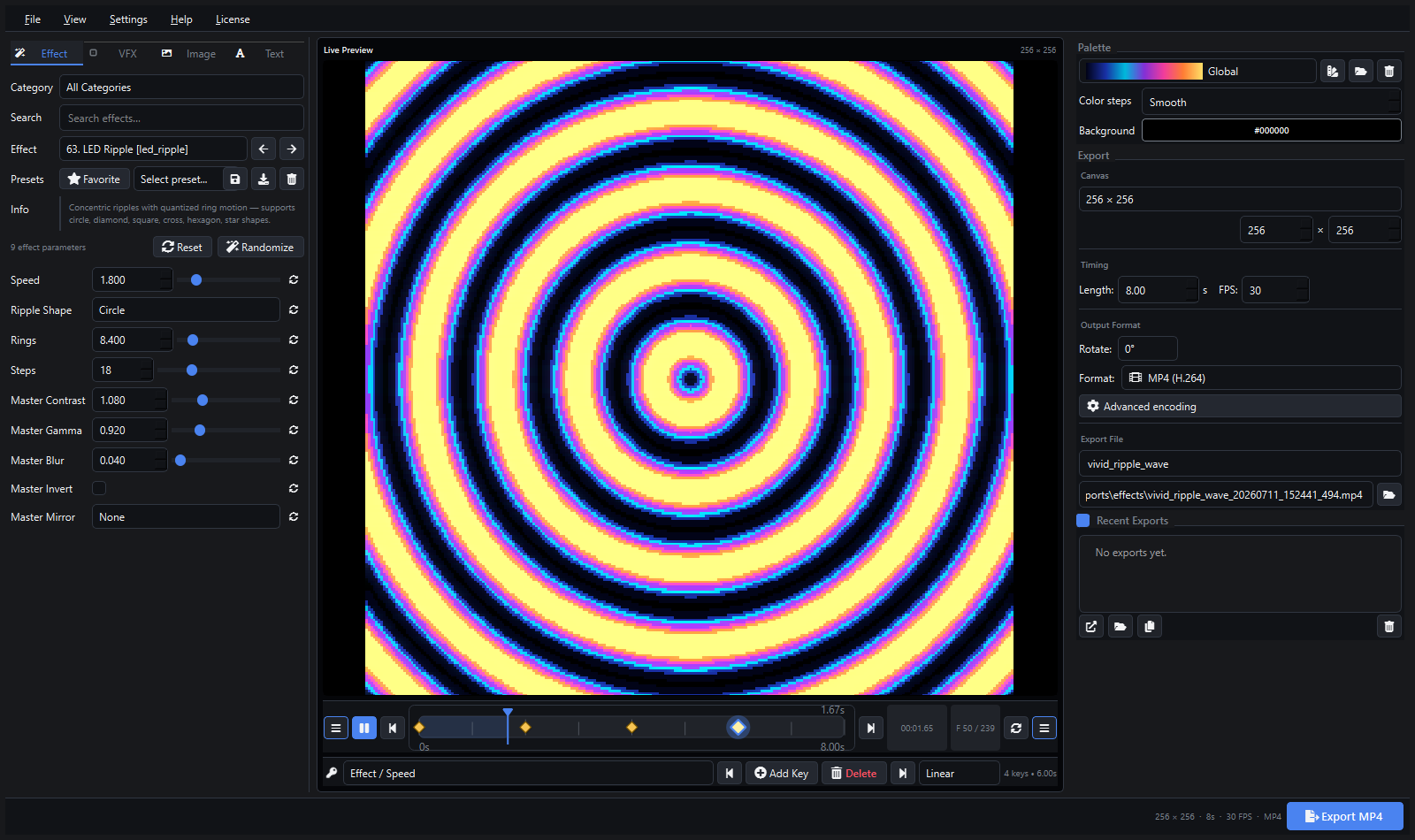
Version 1.3.0 adds real-time ArtNet, E1.31 (sACN), and DDP streaming, auto-discovery of network controllers, a live FPS meter, real-time DMX activity visualization, wiring pattern presets — plus test patterns for wiring verification, sACN multicast, multi-controller output, scene playlists, and audio-reactive effects.
Buy Pixel LED Animator 3 on Gumroad
ArtNet Streaming
ArtNet is the industry-standard UDP-based protocol for sending DMX512 data over Ethernet. It is supported by virtually every professional LED controller — MADRIX, Jinx!, Glediator, ENTTEC, Art-Net nodes, and many more.
The new ArtNet (Stream) export profile sends each frame as Art-Net DMX packets directly to your controller’s IP address, port, and starting universe. There is no intermediate file, no encoding delay, and no storage overhead.
How It Works
- Select ArtNet (Stream) from the export profile dropdown
- Enter your controller’s IP address (or use Discover to find it automatically)
- Set the port (defaults to Art-Net standard port 6454) and starting universe (0–32767)
- Choose pixel order (RGB, GRB, BRG, or BGR) to match your LED hardware
- Choose a wiring pattern (Sequential, Serpentine, Vertical, or Vertical Serpentine)
- Click Export — frames stream in real time at the selected frame rate with live FPS and DMX activity feedback
Each pixel occupies three consecutive DMX channels (R, G, B). Frames are split across universes at 170 pixels per universe (512 DMX channels minus the start code byte), matching the standard Art-Net convention used by Glediator and Jinx!.
E1.31 (sACN) Streaming
In addition to ArtNet, version 1.3.0 adds a dedicated sACN (Stream) profile for the E1.31 streaming protocol — the ANSI-standard successor to ArtNet used by many modern lighting consoles and controllers.
The sACN profile works identically to the ArtNet profile but uses the standard sACN port (5568) and 1-based universe numbering convention. This means you can stream directly to controllers that only speak sACN, without needing a protocol bridge.
Protocol Comparison
| Protocol | Default Port | Universe Range | Typical Use |
|---|---|---|---|
| ArtNet | 6454 | 0–32767 | MADRIX, Jinx!, Glediator, ENTTEC |
| sACN (E1.31) | 5568 | 1–63999 | Modern lighting consoles, architectural controllers |
| DDP | 4048 | 1–4096 | WLED, Hyperion, LED controllers with DDP support |
Select the profile that matches your controller’s protocol. All profiles support wiring patterns, pixel order, test connection, auto-detect, and the same real-time feedback features.
DDP Streaming
Version 1.3.0 also adds DDP (Distributed Display Protocol) streaming — a lightweight, low-overhead protocol designed specifically for real-time LED pixel data. DDP is supported by WLED, Hyperion, and many other LED controllers.
The DDP profile sends pixel data directly to your controller without the universe-based overhead of ArtNet or sACN. It is ideal for WLED-based installations where simplicity and low latency matter most.
Auto-Discover Network Controllers
Manually typing IP addresses is error-prone, especially when working with multiple controllers on a large network. The new Discover button automates this:
- Click Discover next to the IP address field
- The software scans your network in the background — the interface stays responsive while it works
- All compatible controllers that respond are listed
- The first discovered IP is automatically entered into the host field
- Additional found nodes are shown in the status label
The scan runs in the background without freezing the UI. If no controllers respond, the status label shows a clear message — no silent failures.
Real-Time FPS Meter
When streaming, you need to know whether your network and controller can keep up with the selected frame rate. The FPS meter displays the actual achieved frame rate in real time:
- Shown in the export status area during streaming
- Smoothed over a one-second rolling window
- Displays as “Streaming ArtNet — 28.5 fps” or “Streaming sACN — 30.0 fps”
- Updates every second with smoothed measurements
If the displayed FPS consistently drops below your target, you can reduce the canvas size, lower the frame rate, or check your network connection — all without stopping and restarting the export.
DMX Activity Visualization
Knowing that data is flowing is one thing; seeing which universes are active is another. The DMX activity bars provide a real-time visual of per-universe channel utilization:
- Displayed in the top-right corner of the preview canvas during streaming
- Each vertical bar represents one DMX universe
- Bar height corresponds to the maximum channel value in that universe
- Color transitions from green (low activity) to red (high activity)
- Updates with every frame for instant feedback
This makes it easy to verify that all expected universes are receiving data and that no channels are stuck at zero. It is particularly useful during initial setup and debugging.
Wiring Pattern Presets
The biggest practical addition for real-world LED installations is the Wiring selector. LED matrices are rarely wired in perfect row-major order. Strips zigzag back and forth, panels are mounted vertically, and individual pixel runs snake across the canvas in non-obvious patterns.
Four presets cover the most common physical layouts:
| Pattern | Description | Pixel Order (3×4 example) |
|---|---|---|
| Sequential | Rows left to right, top to bottom (default) | 0, 1, 2, 3, 4, 5, 6, 7, 8, 9, 10, 11 |
| Serpentine | Even rows left to right, odd rows right to left | 0, 1, 2, 3, 7, 6, 5, 4, 8, 9, 10, 11 |
| Vertical | Columns top to bottom, left to right | 0, 4, 8, 1, 5, 9, 2, 6, 10, 3, 7, 11 |
| Vertical Serpentine | Even columns top to bottom, odd columns bottom to top | 0, 4, 8, 9, 5, 1, 2, 6, 10, 11, 7, 3 |
Serpentine (Zigzag)
The most common physical LED layout: a single strip running back and forth across each row. When the strip reaches the end of row 0, it bends 180° and runs right-to-left across row 1. The serpentine preset mirrors this exactly — no patch map, no manual pixel reordering.
Vertical
For installations where LED panels are arranged side by side vertically, or where a column-mapping convention is standard (e.g., certain MADRIX and Jinx! workflows). Pixels are assigned top-to-bottom within each column before moving to the next column on the right.
Vertical Serpentine
A common variant for vertical strip arrays: the first column runs top-to-bottom, the second column runs bottom-to-top, and so on. This matches how a single strip snakes vertically across multiple columns of a panel grid.
Test Patterns
Verifying that a large LED installation is wired correctly can take hours — unless you can send known patterns to the display. The new Test Patterns feature streams a set of diagnostic animations directly to your controller with a single click:
- Chase — a moving dot sequence that reveals dead pixels, broken runs, and wrong pixel orders instantly
- Color Bars — fixed color blocks (red, green, blue, white) that verify channel mapping and color order
- Gradient — a smooth color sweep for checking color depth and calibration
- Flash — alternating on/off cycling to spot flicker and refresh-rate issues
Each pattern streams in a loop at the selected frame rate, and a single click stops it. Use test patterns before mapping effects — they turn cable-and-wiring debugging into a two-minute check.
sACN Multicast
The sACN protocol supports multicast — sending one data stream that every multicast-enabled controller on the network receives at the same time. Version 1.3.0 adds a Multicast option to the sACN (Stream) profile:
- Enable the checkbox and one stream reaches all controllers on the same multicast group
- Ideal for synchronized installations where multiple controllers drive one large display
- Requires controllers with multicast support enabled (standard on most sACN-capable hardware)
Unicast remains the default, so the behavior you already know is unchanged.
Multi-Target Streaming
Many installations are driven by more than one controller — several WLED units, multiple ArtNet nodes, or a mix of both. The new targets list lets you stream to several controllers at the same time:
- Maintain a list of controller addresses (IP, port, and universe) in the streaming panel
- Every exported frame is sent to all targets simultaneously
- Targets are stored in your presets, so switching between installations is instant
No external synchronization software needed — one click streams the animation to the entire display.
Playlists and Scene Sequencing
For shows that need more than a single loop, the new Playlist tab turns any effect into a scene and sequences them like a show:
- Add multiple scenes, each with its own effect, duration, and settings
- Reorder scenes up and down, remove any scene, or enable looping
- Optional crossfade between scenes for smooth transitions instead of hard cuts
- The playlist streams live to your controller (or set of controllers) without rendering files
Build a 20-minute show from individual scenes, press Stream Playlist, and let the show run.
Audio-Reactive Effects
Version 1.3.0 brings the display alive with sound. New audio-reactive effects listen to your microphone and react to the music in real time:
- Frequency analysis splits the audio into eight bands (bass to treble)
- Effects include Audio Spectrum, Audio Beat, Audio Wave, and more
- Each effect responds to beat detection, overall loudness, and per-band energy
- Sensitivity can be adjusted from the interface to match your microphone and music
- Works while streaming — effects render and stream in real time
Pick any audio-reactive effect, select your input device, and the LED display dances to the music.
Workflow Example
To stream an animation to a MADRIX or Jinx! controller using a serpentine-wired 32×32 panel:
- Set canvas to 32×32
- Select ArtNet (Stream) profile
- Click Discover to find your controller automatically (or enter its IP manually)
- Set Wiring to Serpentine
- Set Pixel Order to match your strip type (e.g., GRB for WS2812B)
- Click Export
- Watch the FPS meter and DMX activity bars to verify real-time performance
The software renders each frame, applies the serpentine pixel reordering, splits the 1024 pixels across 7 universes (170 pixels each, with 4 remaining in universe 6), and streams Art-Net DMX packets in real time.
Installation and Update
Pixel LED Animator 3 v1.3.0 is available now for all licensed users. Download the latest installer from the purchase link — your existing license key continues to work.